



If you run a small team or work solo, your biggest challenge is rarely ideas. It is limited time, thin bandwidth, and keeping quality consistent while you juggle everything else. That is exactly where AI in content creation becomes a force multiplier, but only when you treat it as a system instead of a magic button.
I have spent months testing workflows that do exactly that, and I want to share what actually works.
This playbook focuses on measurable outcomes. You will learn to measure a baseline for your speed, choose tools by the job they do, and adapt workflows for real-world constraints. One MIT study found ChatGPT cut professional writing time by roughly 40 percent while improving quality by 18 percent. Those numbers are realistic when you build the right system around AI-assisted content production.
Tracking Metrics That Actually Matter
Tracking the right numbers quickly shows whether a tool is helping or just adding complexity.
Time to First Draft
Measure minutes from brief approval to a complete structured draft. Aim to cut this time in half once you use templates and repeatable prompts. That 40 percent reduction from the MIT study is a realistic baseline for most structured work.
Edit Passes Per Piece
Count how many revision cycles you need before a piece is publishable. Dropping even one pass per piece saves hours every month. Track this with quick notes on what triggered each round of changes.
Run a two week baseline before you buy anything. Log start and stop times for three pieces. Capture pass counts and note blockers. This baseline reveals your biggest bottleneck.
Running Your Production Pipeline Stage By Stage
Standardizing your workflow makes it obvious where to measure, improve, and plug in AI.
Research and Intake
Turn each brief into a checklist covering audience, angle, sources, and compliance notes. Use a short form to collect source links before drafting. Summarize top sources with citations and tag your confidence level for each, so you cut rework later.
Drafting and Structure
Structure before prose. Outline your H2 and H3 sections with goals and evidence slots first. Budget word counts per section to prevent overwriting. This front loaded approach moves your first draft much closer to publishable quality.
Editing and Quality
Use a two pass method. First pass handles clarity and flow. Second pass verifies facts, names, and numbers. Flag risky claims so editors know what to check first. Log changes to learn which prompts need fixing upstream.
Visuals and Video
Define one style system with palette, aspect ratios, and safe subject rules. For video, start from script, prepare captions alongside footage, and export multiple aspect ratios in one pass.
Scaling Visuals Without A Full Studio


Creating on brand images once meant pricey shoots or stock photos that looked identical to everyone else’s.
Now you can define a palette and composition rules once, then reuse them across every post. Store prompt templates in a shared doc with clear do and do not examples. Draft a short shot list per article, generate three to five options per slot, and select one cohesive style before exporting.
For culturally relevant product shots without scheduling a photoshoot, try Getimg’s tool to create local scenes from a single prompt. Then standardize the look with your brand palette and aspect ratios. Test three prompts today and lock a repeatable style for your next publish with a consistent, on brand visual realistic AI image generator.
The key is batching. Generate all visuals for a piece in one session rather than interrupting your writing flow repeatedly. This alone can save 30 minutes per article.
Turning Scripts Into Videos Quickly
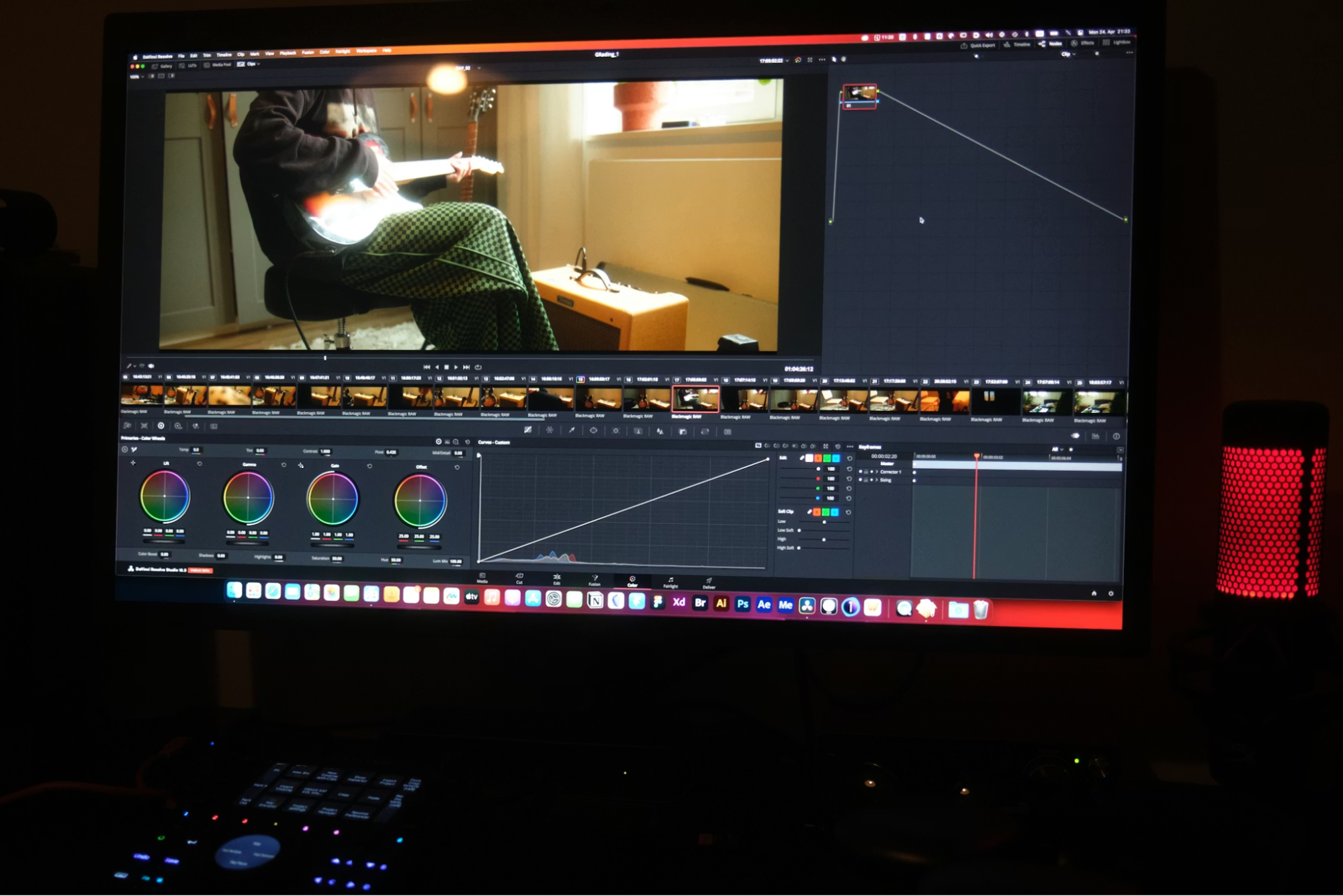

Video remains essential for reach, with 91 percent of businesses using it according to Wyzowl’s 2024 survey. I use a 30-minute sprint approach. Write or paste a tight script, assemble clips from existing footage or stock, auto-generate captions, and export three aspect ratios in one pass. Export both SRT subtitle files and burned-in versions to cover platforms with different support. To convert scripts or outlines into 15‑to‑60‑second explainers fast, use this text to video generator to auto‑assemble clips, captions, and formats for your top social channels in one pass. Produce one explainer today and publish to two channels to benchmark your throughput.
Repurposing Content For Maximum Reach
One pillar piece should become five assets in 45 minutes: a social thread, carousel, newsletter block, short video, and caption set. Create a one-paragraph synopsis first. Extract three quotable lines and list two data points with sources. Map each element to your five formats before drafting anything. This batching approach means you never reread the entire piece for each asset.
Staying Safe With Data and Compliance
Never paste sensitive information into consumer chat apps. OpenAI states data sent via its API, the application programming interface, is not used for training by default, but consumer services may differ. Check vendors for SOC 2, System and Organization Controls 2, certifications, clear data retention policies, and regional privacy overlays. Keep records of model versions used for published output. Create a brief author disclosure noting AI assistance without undermining credibility. Follow Google’s guidance on helpful content. Focus on utility, originality, and clear sourcing. Avoid mass spinning of near duplicate pages. Build topical authority with consistent, cited work rather than chasing volume alone.
Building Your Starter Stack And Two-Week Plan
Start with just three tools: a research summarizer with citations, a structured draft generator, and a repurposing or short video helper. Resist adding more until you hit your targets.
Week one is baselining and template setup. Measure your current metrics without new tools. Week two is piloting across two pieces with daily check-ins, then a retro to measure changes. Assign owners for each stage and define success criteria before starting.
FAQs
These quick answers cover the practical questions that usually come up when teams adopt AI into their content workflow.
How do I know if a new tool is actually saving time?
Baseline your key metrics for two weeks, change one variable, and re measure. Look for at least a 20 to 40 percent drop in time to first draft to justify adoption.
What if my editors do not trust the outputs yet?
Run the two pass edit method with a claims extraction step. Start the pilot on lower risk pieces, track error rates, and expand after quality stabilizes.
Can I do this with limited connectivity?
Yes. Use offline first tools, batch sync windows, lighter file formats, and text led workflows. Schedule uploads during cheaper or more reliable network windows if possible.
How do I avoid search penalties when using automation?
Follow helpful content guidance, cite sources, avoid mass duplication, and disclose assistance briefly. Publish only after human review and approval.