


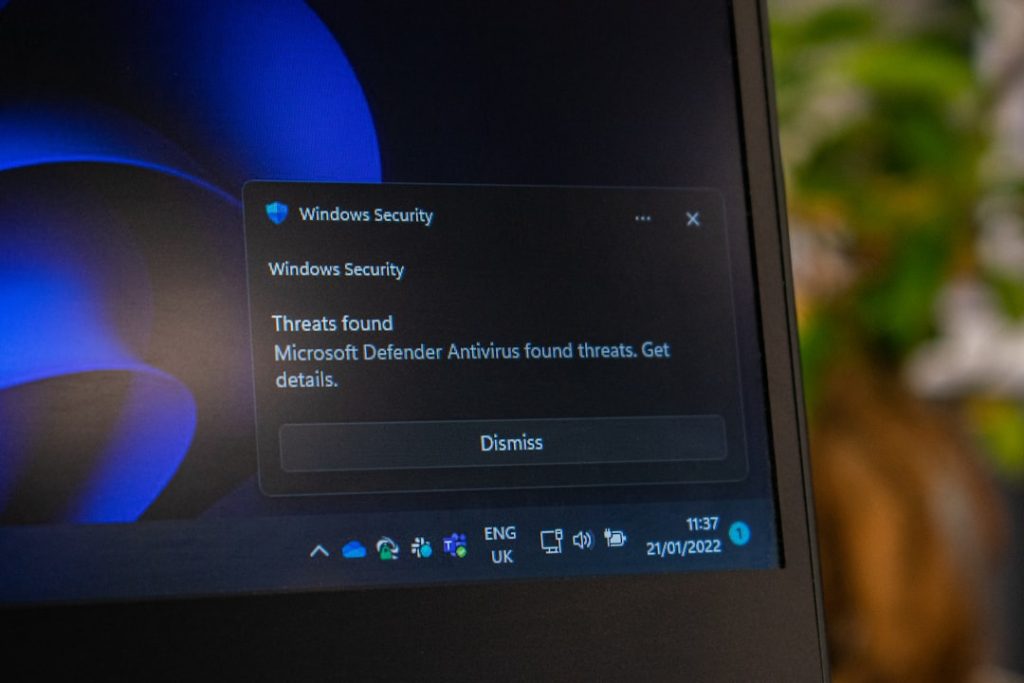
Your Windows computer hides a secret file. It is big. It is mysterious. And it quietly eats up gigabytes of your storage. The file is called hiberfil.sys. If you have ever searched your drive for large files, you may have seen it sitting there and wondered: Can I delete this thing?
TLDR: The file hiberfil.sys is created by Windows to power the Hibernate feature. It helps your PC save its current state and turn off completely without losing your work. You can safely delete it, but only by disabling Hibernate. If you never use Hibernate, disabling it can free up several gigabytes of disk space.
What Is hiberfil.sys?
Let’s keep it simple.
hiberfil.sys is a system file that Windows uses for Hibernate mode. When your computer hibernates, it saves everything in memory to this file. Then it shuts down fully.
When you turn your computer back on, Windows reads the file and restores everything. All your apps. All your documents. Even that half-written email.
It is like pressing pause on your entire computer.

Where Is hiberfil.sys Located?
The file lives in the root of your main drive. Usually:
- C:\hiberfil.sys
You might not see it at first. Why? Because:
- It is a protected system file.
- It is hidden by default.
To see it, you would need to:
- Enable “Show hidden files.”
- Uncheck “Hide protected operating system files.”
But be careful. These files are hidden for a reason.
Why Is hiberfil.sys So Big?
This is the part that surprises most people.
The file size depends on how much RAM your computer has.
Windows needs enough space to copy everything in memory. So:
- If you have 8 GB of RAM, hiberfil.sys may be around 6–8 GB.
- If you have 16 GB of RAM, it could be 12 GB or more.
- If you have 32 GB of RAM, it gets even bigger.
On smaller SSDs, that is a lot of space.
And if you never use Hibernate? That space may feel wasted.
What Is the Difference Between Sleep and Hibernate?
This is where things get interesting.
Both features save your work. But they do it differently.
Sleep Mode
- Keeps data in RAM.
- Uses a small amount of power.
- Wakes up very fast.
- If power is lost, your work is gone.
Hibernate Mode
- Saves data to hiberfil.sys.
- Uses zero power.
- Takes longer to wake up.
- Safe even if battery dies.
Here is a simple comparison:
| Feature | Sleep | Hibernate |
|---|---|---|
| Power Usage | Low | None |
| Wake Speed | Very Fast | Slower |
| Data Stored In | RAM | hiberfil.sys File |
| Safe If Battery Dies | No | Yes |
If you use a laptop and travel often, Hibernate can be helpful. If you use a desktop that rarely loses power, maybe not so much.

Can You Delete hiberfil.sys?
Short answer: Yes.
But not by right-clicking and pressing Delete.
If you try, Windows will block you. It is a protected system file.
The correct way to remove it is to disable Hibernate.
When you disable Hibernate, Windows automatically deletes hiberfil.sys.
How to Disable Hibernate (The Safe Way)
Follow these steps:
- Click the Start menu.
- Type cmd.
- Right-click Command Prompt.
- Select Run as administrator.
- Type this command:
powercfg -h off
Press Enter.
That’s it.
The hiberfil.sys file will disappear. Instantly. And you will get your disk space back.
How Much Space Can You Free Up?
It depends on your RAM size.
- 8 GB RAM → Free about 6–8 GB.
- 16 GB RAM → Free about 12 GB.
- 32 GB RAM → Free 20+ GB.
On a 256 GB SSD, that can be a big deal.
More breathing room. Less storage anxiety.
Are There Any Risks?
Very few.
But you should understand what you are giving up.
If you disable Hibernate:
- You cannot use Hibernate mode.
- Fast Startup may also be disabled.
Fast Startup?
Yes. Modern Windows versions use hiberfil.sys for a feature called Fast Startup. It helps your computer boot faster after shutdown.
If you turn off Hibernate, Fast Startup may stop working too.
Most users do not notice a huge difference. Especially on modern SSDs.
But older laptops may boot slightly slower.
What Is Fast Startup?
Fast Startup is like a mini-hibernate.
When you shut down, Windows saves part of the system state to hiberfil.sys. Not everything. Just enough to speed up boot time.
When you power back on, Windows loads that saved state. Result?
- Faster startup.
- Less waiting.

If speed matters more than storage, you may want to keep it enabled.
Can You Reduce hiberfil.sys Size Instead of Deleting It?
Yes. This is a lesser-known trick.
Windows allows you to shrink the file. Especially if you only want Fast Startup and not full Hibernate.
Open Command Prompt as administrator and type:
powercfg /h /type reduced
This keeps Fast Startup. But disables full Hibernate.
The file becomes smaller. Often around 40% of your RAM instead of 75% or more.
It is a nice middle ground.
When Should You Delete hiberfil.sys?
Here are good reasons:
- You never use Hibernate.
- You use a desktop PC.
- You need more disk space urgently.
- You have a small SSD.
And here are reasons to keep it:
- You travel with a laptop.
- You rely on Hibernate to save battery.
- You appreciate Fast Startup.
- You often resume sessions with many apps open.
Does Deleting It Improve Performance?
Not really.
It does not make your PC faster.
It only gives you more storage space.
If your drive is nearly full, freeing space can help overall system smoothness. Windows likes free space.
But removing hiberfil.sys alone is not a magic speed boost.
Will Windows Recreate It?
Yes. If you re-enable Hibernate.
To turn it back on:
powercfg -h on
Press Enter.
Windows will recreate the file automatically.
Nothing is permanently broken. You can switch anytime.
Is It the Same as pagefile.sys?
No. Different file. Different purpose.
- hiberfil.sys → Stores memory for Hibernate.
- pagefile.sys → Works as virtual memory during normal use.
You usually should not disable the page file unless you know exactly what you are doing.
hiberfil.sys is much safer to remove.
Quick Recap
Let’s wrap it up in simple terms:
- hiberfil.sys enables Hibernate.
- It can be several gigabytes in size.
- You cannot delete it manually.
- You must disable Hibernate using Command Prompt.
- It is safe for most desktop users.
- Laptop users may want to keep it.
It is not a virus. Not malware. Not junk.
Just a feature you may or may not need.
Final Thoughts
hiberfil.sys is one of those hidden Windows features that feels scary at first.
Big file. Weird name. Hard to delete.
But once you understand it, it is actually simple.
If you love squeezing every gigabyte out of your drive, disabling Hibernate can feel satisfying.
If you love reopening your laptop exactly where you left off, maybe keep it.
The good news?
You are in control.
And now you know exactly what that mysterious file does.