Placed a Grubhub order and need to stop it? You need to move fast. This guide shows how Grubhub order cancellation works, where to go for help, and what may happen with your refund after you request a cancel.
What it means to cancel a Grubhub order?
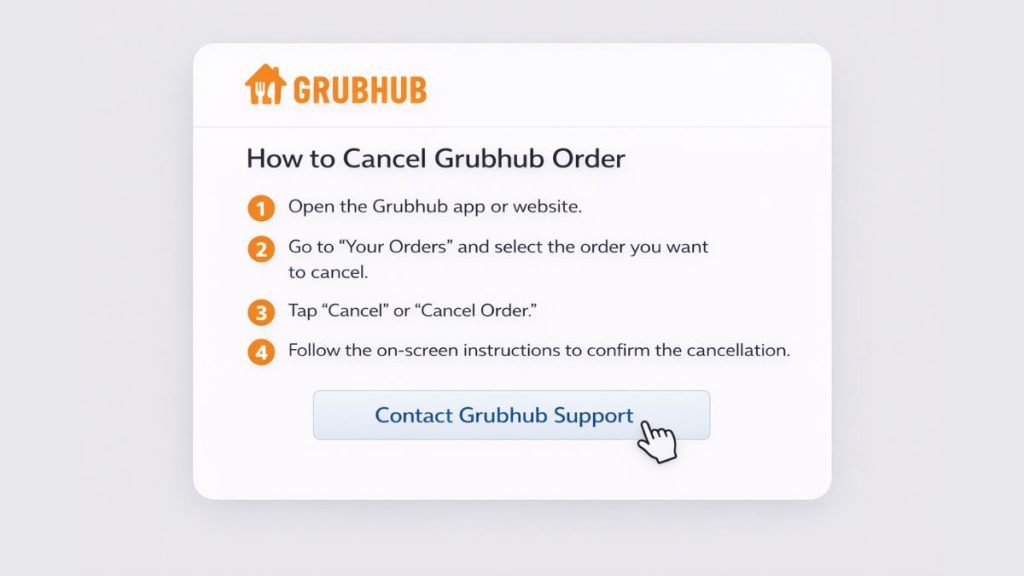
Canceling a Grubhub order means trying to stop a live pickup order or delivery order after you already placed it. That may sound simple, but the result depends on timing. Once an order reaches the restaurant, gets confirmed, or moves into food preparation, the chance of a smooth cancellation can change. So, a cancellation request is not always the same as a completed cancellation. In real use, the order status matters a lot.
Grubhub’s public customer FAQ says that if you want to change or cancel an order after placing it, you should use the Contact Us flow. Its Help Center also points customers to support for order help rather than promising one fixed self-serve path for every order.
What you should check before you try to cancel?
Before you try to cancel, open your Grubhub account and look at the current order details. Check whether the restaurant has already confirmed the order, whether the food may already be in preparation, and whether the order is a pickup order or a delivery order. These details can affect whether cancellation is still possible and what kind of refund outcome you may get. If you wait too long, the order may move too far along for an easy stop.
How to cancel a Grubhub order?
Grubhub’s customer-facing guidance points users to the Contact Us and Help flow for changing or canceling an order. That means the safest advice is to go through your order details and support options as quickly as possible instead of assuming there is always a one-tap cancel button for every case.
Follow these steps:
- Sign in to your Grubhub account on the Grubhub app or website.
- Open your current order or recent order details.
- Review the order status and check how far the restaurant order has progressed.
- Go to the Help Center or Contact Us page for order support.
- Choose the option that matches your order issue or cancellation request.
- Explain the reason clearly, such as wrong address, duplicate order, wrong item, or accidental checkout.
- Check any message from Grubhub support about cancellation status or refund review.
- Save the order update, support message, or confirmation screen if one appears.
If your order came from a Grubhub corporate account, Grubhub lists a separate support route for that type of cancellation. The company’s help content for corporate users also provides a specific phone extension and email contact for corporate order support.
What can affect whether Grubhub cancels the order?
Timing is the biggest factor. If you request cancellation very soon after placing the order, support may have a better chance of stopping it before the restaurant moves ahead. If the restaurant already confirmed the order or started making the food, the result may be less flexible. If a delivery driver is already involved, that can complicate things even more. Grubhub’s public pages do not promise one identical outcome for every case, so users should expect the order stage to matter.
Pickup orders, delivery orders, and corporate orders may not all follow the exact same support path. Grubhub has a separate help answer for canceling corporate account orders, which shows that some order types are handled differently.
What happens to your refund after a Grubhub cancellation?
Refund outcomes depend on the order stage and the support decision. Grubhub’s public customer help in the sources I checked points users to support for order changes and cancellations, but it does not lay out one single refund rule that applies to every customer order in every situation. Because of that, the safest answer is that refund handling depends on the details of your case.
A few things are still worth keeping in mind:
- A full refund may be more likely when the order is canceled very quickly.
- A partial refund may be possible if the restaurant already started preparation.
- Refund timing may depend on your payment method and support review.
- Updates may appear through email, app messages, or customer support replies.
I don’t know about any more specific public refund rule from the sources I checked.
Common problems when trying to cancel a Grubhub order
Sometimes the hard part is not finding the order. It is timing. Other times, the issue is support access, account confusion, or refund delay. So if the first attempt does not solve it right away, that does not always mean the cancellation failed.
Common problems include:
- The restaurant already confirmed the order.
- The food is already being prepared or picked up.
- You cannot find the right Help Center or Contact Us option.
- You are signed in to the wrong Grubhub account.
- The refund does not appear immediately after the cancellation request.
Tips to improve your chances of canceling successfully
Act fast. That helps more than anything else. Keep your order number ready, stay signed in to the same Grubhub account that placed the order, and explain the issue in plain words. A short message like “wrong delivery address” or “duplicate order” is often better than a long unclear note. Also, save screenshots of the order status and any support reply. If the case turns into a refund question later, those details can help.
Quick reminders:
- Request cancellation as soon as you notice the problem.
- Keep your order number and payment details nearby.
- Use the account that placed the order.
- Save support replies and order updates.
Conclusion
To cancel a Grubhub order, speed matters most. Open your order details, check the status, and go through the Help Center or Contact Us flow right away. Grubhub’s public FAQ sends users there for order changes and cancellation help, and corporate orders may use a different support path.
Keep your order information ready and watch for updates about cancellation or refund review. If this guide helped, share it with someone else who needs quick help with a Grubhub order.