


Many people close old email accounts to keep their information safe. Some want less spam. Others want fewer online accounts. If you use Yahoo Mail and feel it is time to close it, this guide explains the steps in a simple way. You will see what deletion means, what you should do before you close the account, and what happens after.
Understanding the Implications of Deleting a Yahoo Account
When you delete your Yahoo Account, you remove more than your inbox. The change affects all Yahoo services linked to the same login. After deletion, you lose access to:
- Yahoo Mail inbox and all stored emails
- Contacts saved in Yahoo
- Yahoo Finance portfolios
- Flickr photos if the same account was used
- Yahoo Sports settings
- Any third-party apps connected to your Yahoo login
Yahoo may also remove your username, allowing someone else to claim it later.
Steps to Take Before You Delete Your Account
Before you close your account, check a few things. This helps you avoid losing important data.
Start by saving key emails. Many people store bank messages, receipts, and old notes in Yahoo Mail. You can download important messages or forward them to another email.
Then look at your Yahoo Contacts. Export them if you want to use them in another mail service. The export tool is found in the Contacts section inside Yahoo Mail.
Next, check if you used Yahoo to sign in to other sites. Some apps and services use Yahoo Login. If you delete the account without updating those websites, you may get locked out.
If you still want to keep certain files, download them. After deletion, Yahoo cannot restore them.
How to Delete Your Yahoo Email Account
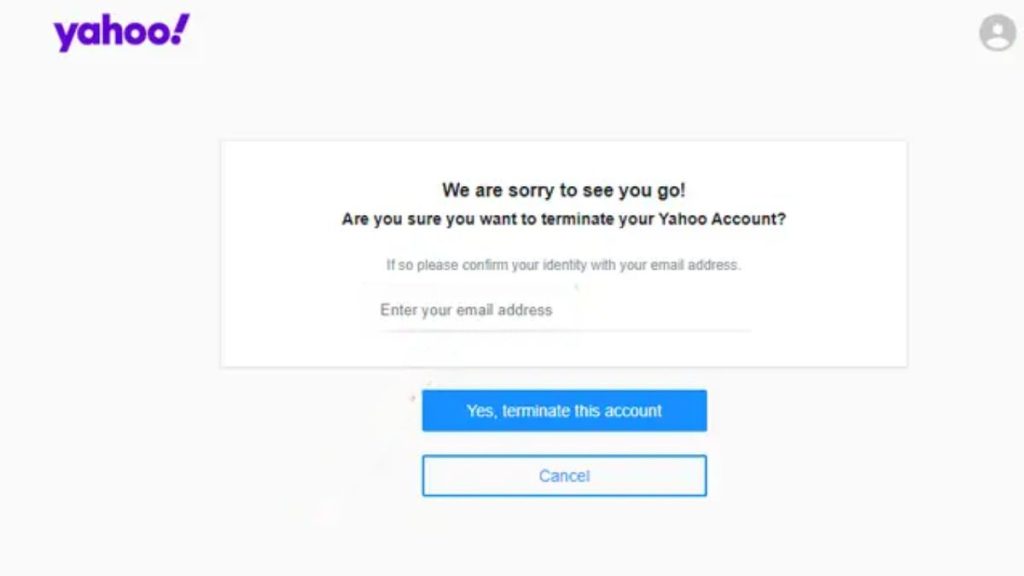
Follow these steps to delete your Yahoo Account.
- Sign in to your Yahoo Mail account.
- Open the Yahoo Account Termination Page.
- Read the notes that explain what deletion means.
- Confirm your login with your password.
- Click the option to delete the account.
- Yahoo will show a final screen. Confirm again.
Once you complete this, Yahoo places your account in a waiting period. During this time, you can still recover the account if you change your mind.
What Happens After Deleting Your Yahoo Account?
Yahoo keeps your account in a closed state for a short time. This period can vary, but it gives you a chance to sign in again if the deletion was not your plan. When this period ends, Yahoo removes your email data, contacts, and linked services.
After the account is fully deleted, you cannot recover the inbox or files. Your old email address may be released for someone else later, so update your email on all important websites to avoid losing login access.
If you used Yahoo for password recovery, update those accounts right away. This helps keep your online identity secure.
If this guide helped you, feel free to share it or leave any suggestions in the comments.