Seeing posts about a “bricked” RTX 5090 or RTX 5090D can make anyone nervous. These GPUs are expensive, powerful, and often paired with brand-new systems. When a screen stays black or the card does not show up, panic sets in fast.
This article explains what “bricked” really means for a graphics card, the signs to look for, the reported causes, and the safe steps to try. It also explains when an RMA is the right move.
What Does Bricked Mean for a Graphics Card?
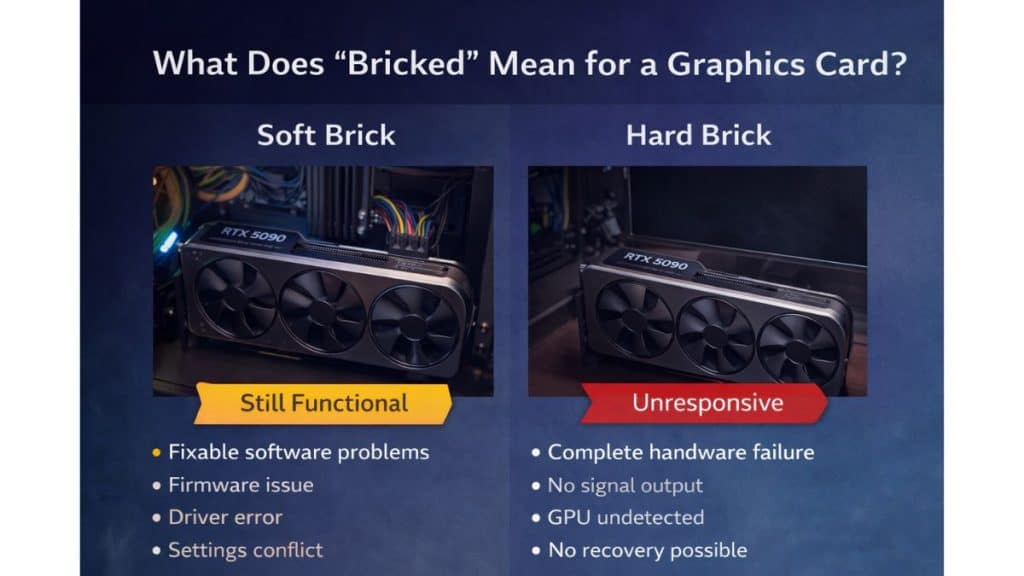
When people say a GPU is bricked, they usually mean it no longer works in a usable way. For graphics cards, this can range from a temporary software failure to a full hardware failure. A soft brick happens when firmware, drivers, or system settings stop the card from starting correctly, but the hardware itself still works.
A hard brick means the card does not respond at all. It shows no signal, no detection, and no recovery through normal steps. Many black screen cases are not true bricks, even if they feel that way at first.
Common Signs of a Bricked RTX 5090 / RTX 5090D
If a card appears bricked, users usually notice one or more of these signs.
- No display output on any monitor
- GPU not detected in motherboard BIOS
- System powers on but does not POST
- Fans spin but screen stays black
- GPU missing from Windows Device Manager
- VGA debug light stays on
- Driver installation fails every time
- Same result in a second PC
Seeing one sign does not confirm a hard brick, but several together raise concern.
Reported Causes of RTX 5090 / RTX 5090D Bricking
Confirmed cases are limited, and context matters. Not every failure has the same cause, and some reports mix rumors with real issues.
- Interrupted VBIOS or firmware updates
- Motherboard BIOS incompatibility
- Power supply issues or cable mismatch
- Faulty PCIe slot or riser cable
- Driver conflicts on first boot
- Manufacturing defect
- Unsafe overclock or voltage changes
Most serious failures happen during setup changes, not during normal gaming.
What You Should NOT Do If Your GPU Appears Bricked?
When a high-end GPU fails, it’s easy to rush into risky actions. That often makes things worse.
- Do not flash unofficial BIOS files
- Do not hot-swap power or PCIe cables
- Do not keep rebooting repeatedly
- Do not open the GPU housing
- Do not trust random fixes from unknown sources
These steps can void warranty and remove any chance of support.
Safe Troubleshooting Steps to Try First
Before assuming the worst, focus on low-risk checks. These steps help rule out common system issues.
- Shut down the PC and unplug power.
- Hold the power button for 10 seconds to drain power.
- Check and reseat all GPU power cables.
- Try a different display cable or monitor.
- Reset the motherboard CMOS.
- Update the motherboard BIOS if possible.
- Test the GPU in another known-working system.
- Boot with minimal hardware connected.
If the card shows life in another system, it is not bricked.
When an RTX 5090 / RTX 5090D Requires RMA?
If the GPU shows no signal, no detection, and no recovery after safe testing, it may be a hard brick. At that point, troubleshooting stops helping.
An RMA is the correct step when the card fails across systems with proper power and BIOS support. Keep purchase receipts, avoid physical damage, and contact the manufacturer or board partner directly for warranty service.
How to Reduce the Risk of GPU Bricking in the Future?
A few habits lower the risk of serious GPU failures, especially with new hardware.
- Avoid early firmware updates unless required
- Use a power supply that meets wattage guidelines
- Update motherboard BIOS before installing a new GPU
- Avoid beta drivers during first setup
- Never interrupt firmware updates
- Connect the GPU directly to the PCIe slot
- Follow official vendor instructions only
Conclusion
In most cases, reports of RTX 5090 or RTX 5090D bricking turn out to be system setup issues, not dead hardware. True hard bricks are rare, but they can happen due to firmware interruption or defects. Calm testing and safe checks usually reveal the real cause.
If your card still shows no signs of life, an RMA is the safest option. Share your experience in the comments and pass this guide to others who may be worried about the same issue.